








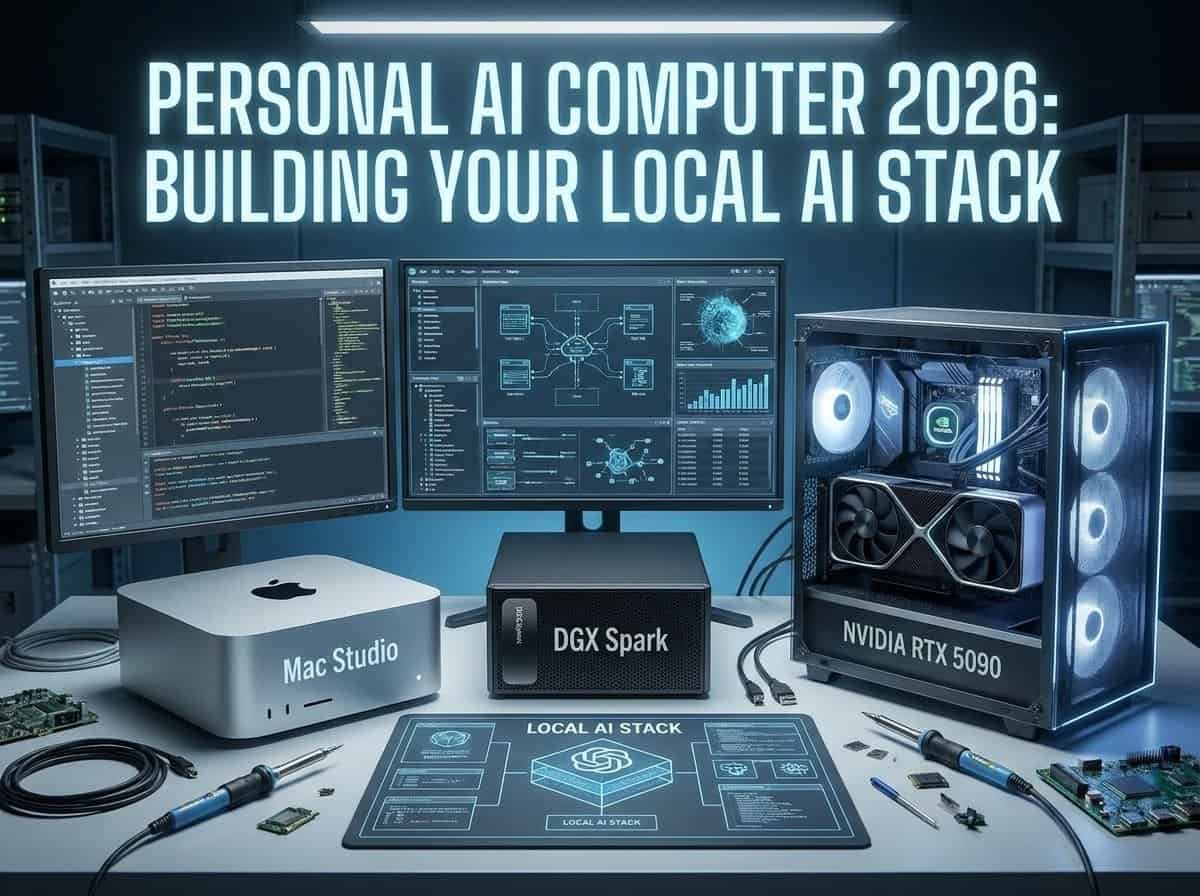
Quick answer: Choose by the work you’ll repeat every week, not by benchmarks. A Mac mini or Mac Studio is the simplest, quietest route for private document search, writing, transcription and light coding, because unified memory lets bigger models fit (an M4 Pro Mac mini with 64 GB is a sensible start; a Mac Studio earns its price at 128 GB and up). An RTX 5090 workstation (32 GB GDDR7) wins on CUDA speed and software support for builders and small-team serving, at the cost of heat, noise and maintenance. The NVIDIA DGX Spark (Grace Blackwell, 128 GB unified memory) is the packaged, CUDA-native appliance if you don’t want to build a tower. Whatever you buy, your files, memory layer and retrieval pipeline will matter longer than any model.
There is so much choice these days; a stark contrast to when I was a kid. Pick between a Mac Studio, an NVIDIA DGX Spark, and an RTX 5090 workstation on benchmarks alone and you will probably buy the wrong one. The question that actually decides it is smaller and more boring: what do you want this machine doing on a Tuesday afternoon? Searching your own documents. Writing code. Transcribing meetings. Running agents overnight. Serving a model to three colleagues. Those jobs pull in different directions, and the hardware follows.
Hardware is only the first layer, too. A local AI setup you still use six months from now is a machine plus a runtime, a handful of specialist models, a memory layer that outlives all of them, tool access you can actually trust, and interfaces that meet you where you already work. This article is a summary of the youtube video by Nate Jones, which you can watch below. The guide walks through each layer in plain English, compares the three main hardware paths honestly, and shows you how to start small enough that you do not regret it.
Key Takeaways
- Buy for the work you repeat every week, not for the biggest model you can technically load.
- Your files, database, and retrieval pipeline will outlive every model you install. Build those first.
- Macs win on quiet, simple, high-capacity unified memory. NVIDIA wins on raw CUDA throughput and software support.
- Hybrid beats purist. Route the private, repetitive work locally, keep a frontier model for the hard days, and lock down what every agent can touch.
Table of Contents
- What Is a Personal AI Computer?
- Why Local AI Matters for Private, Context-Heavy Work
- The Six Layers of a Local AI Stack
- Mac Studio vs DGX Spark vs RTX 5090: Choose by Workload
- A Quick Hardware Decision Framework
- Local AI Terms Explained Simply
- Use a Runtime That Keeps Models Replaceable
- Build a Model Portfolio, Not a One-Model Setup
- Memory Is the Most Important Long-Term Layer
- Connect AI to Work Without Fragmenting Your Knowledge
- Four High-Value Local AI Workflows
- Security: Local Does Not Mean Automatically Safe
- Common Local AI Mistakes to Avoid
- Recommended Starting Stacks
- How to Start Without Overbuilding
- The Bottom Line
What Is a Personal AI Computer?
A personal AI computer is just a computer that can run models and AI workflows against files, tools, and information you control. Nothing exotic. The difference is where the work happens: instead of every prompt, contract, voice memo, and code repository taking a trip to someone else’s servers, a good chunk of it stays on your desk.
This is not an argument against cloud AI. The best hosted models are still the best hosted models, and for genuinely hard problems you should use them. The point is to stop routing by default and start routing on purpose:
- Local when the work is private, repetitive, drowning in your own context, or high volume.
- Cloud when the problem is genuinely hard and one good answer is worth the money.
- Portable either way, so switching apps or models never costs you years of accumulated work.
Local AI earns its keep the moment a model needs the unglamorous parts of your computer: folders, documents, repositories, notes, databases, browser tasks, and the long tail of project context that never fits in a chat window.
Why Local AI Matters for Private, Context-Heavy Work
Almost none of your actual work looks like a benchmark. It is messy, it repeats, and it is tangled up in context that lives in your own files. What did we decide in that meeting back in March? Why is this test failing? Turn this scrappy draft into the follow-up memo. Find the PDF where somebody costed this out two years ago.
A cloud model can help with all of it, but only after you have uploaded, pasted, or wired up an integration first. Every one of those steps is a small tax, plus a small decision about what leaves your machine. Local-first flips it: the model comes to the work instead.
The real payoff is not the saved API spend. It is compounding context. Notes, decisions, project history, transcripts, the corrections you make, the preferences you would otherwise explain twice a month — all of it accumulates into a knowledge base that gets more useful the longer you keep it.
The Six Layers of a Local AI Stack
Treat the whole thing as modular. Models churn fast enough that you should expect to replace yours two or three times a year, and a decent foundation makes that an afternoon rather than a rebuild.
- Hardware: The computer, memory, storage, accelerator, cooling, and power needed to run your workload.
- Runtime: Software that loads models and turns them into a local service applications can use.
- Models: General chat models, coding models, embedding models, speech models, and vision models.
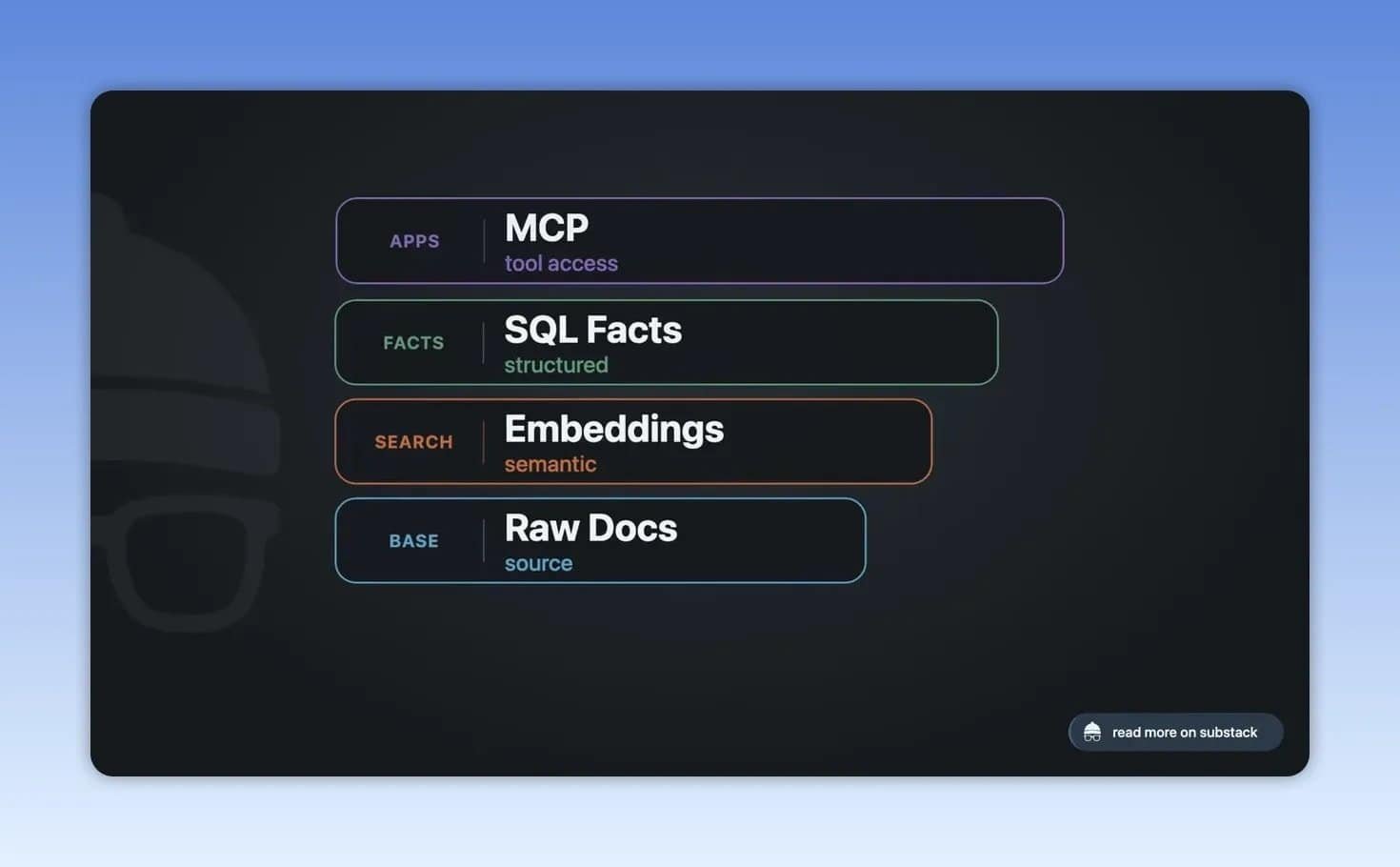
- Memory: Your durable notes, documents, databases, and indexes that remain useful even if an AI app disappears.
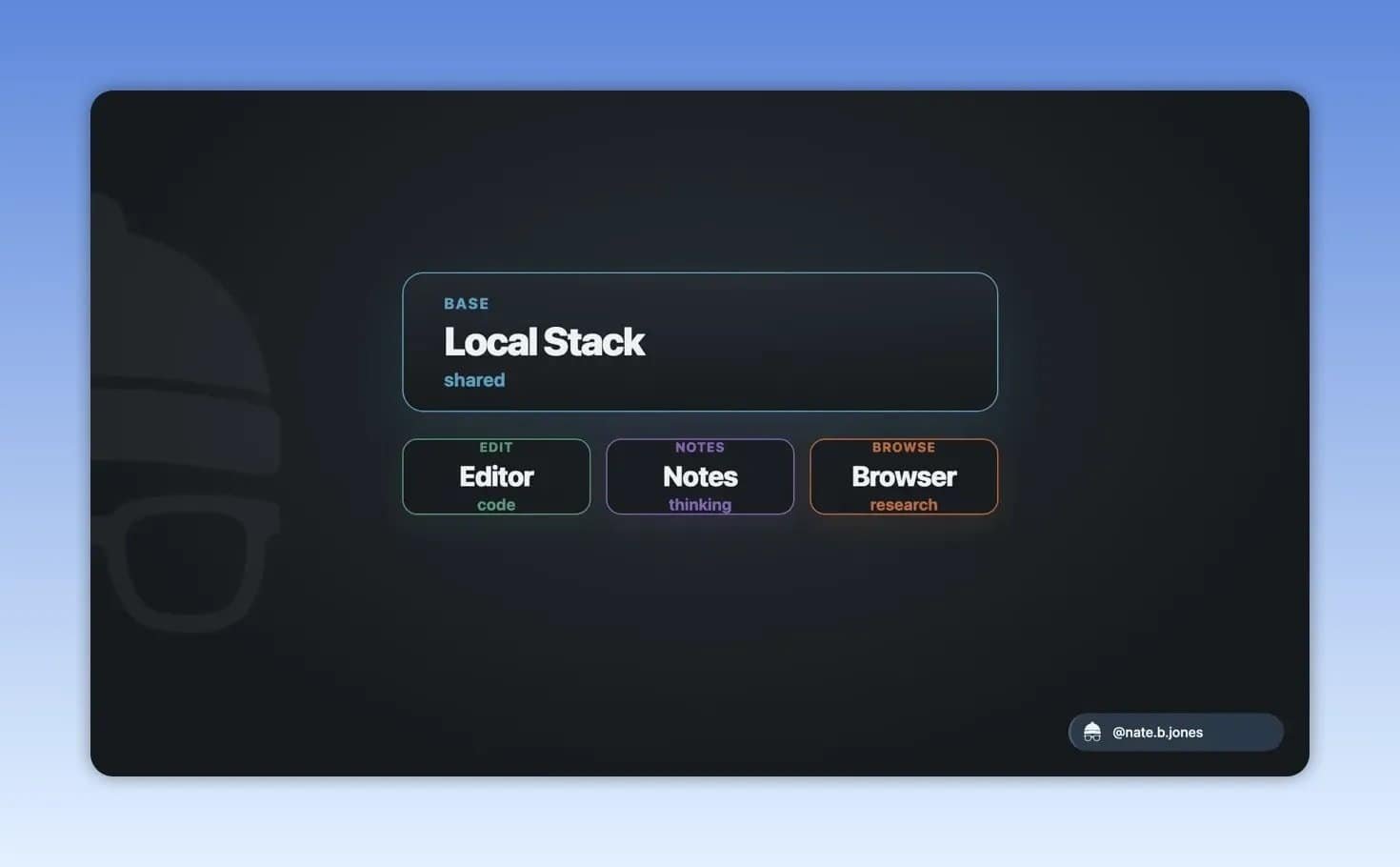
- Interfaces and tools: Chat windows, editors, launchers, voice capture, browsers, and agent tools that connect to the same foundation.
- Workflows and permissions: The actual tasks AI performs, plus boundaries that limit what each tool or agent can access.
Mac Studio vs DGX Spark vs RTX 5090: Choose by Workload
There is no best local AI computer, only a best one for you. Memory capacity, memory bandwidth, accelerator support, software compatibility, heat, noise, power draw, maintenance, and whether the machine is pleasant to sit next to all matter. That last one counts for more than people admit, right up until the fans spin up during a long job.
So start here: which AI workload do you actually want to own and run every week?
Mac mini or Mac Studio: Best for a Simple, Quiet Local-First Setup
Apple silicon suits the person who wants local document search, private writing help, some coding support, transcription, and a personal memory layer — without their office turning into a hardware project.
The headline advantage is unified memory: CPU and GPU draw from the same pool. In practice that means you stop doing the anxious arithmetic of whether a model will fit in VRAM and simply ask whether it fits in the machine.
- A recent Mac with enough unified memory is a genuinely practical entry point, not a compromise.
- An M4 Pro Mac mini with 64 GB is the sensible starting configuration for private knowledge work.
- A Mac Studio starts to earn its price when you want 128 GB, 256 GB, or more.
- They are quiet, power efficient, and they still behave like an ordinary daily computer when you are not doing AI work.
Take this path if capacity, quiet, simplicity, and privacy matter more to you than squeezing out maximum CUDA throughput.
RTX 5090 Workstation: Best for CUDA, Speed, and Builder Workflows
The RTX 5090 brings 32 GB of GDDR7 and serious throughput. But the card is only half of what you are buying. The other half is CUDA, which is still where new inference tricks, coding agents, evaluation harnesses, and serving stacks land first.
Two 5090s give you 64 GB of graphics memory on paper. On paper. It is not one seamless pool, and running a large model across both cards means sharding — a real project with real failure modes, not a checkbox.
Choose a custom NVIDIA workstation when you need:
- High inference throughput for repeated development or batch workloads.
- The broadest CUDA software support.
- Local model serving for a small team or product.
- More control over hardware configuration and upgrade paths.
You pay for all of it in drivers, cooling, heat, power bills, noise, and maintenance. Go multi-GPU and you also acquire a permanent low-grade side quest.
NVIDIA DGX Spark: Best for a Packaged CUDA-Native AI Appliance
The DGX Spark is the appliance answer to building your own NVIDIA tower: a Grace Blackwell chip, 128 GB of coherent unified memory, and NVIDIA’s software stack in something that sits on a desk.
It appeals if you want CUDA-native inference and fine-tuning but have no appetite for choosing components, assembling a workstation, and owning the maintenance that follows.
That does not make it better than a good custom build. You trade configurability and upgrade paths for convenience. Think of it as the packaged route to the NVIDIA stack rather than the superior one.
Where AMD Strix Halo Fits
Strix Halo is the value play, and the hardware story is genuinely interesting. The software story is not there yet: less mature than CUDA, more friction than Apple silicon. Worth it if price is the binding constraint and you do not mind being early — which sometimes means being the person who files the bug report.
A Quick Hardware Decision Framework
| Primary use case | Best starting direction | What to prioritize |
|---|---|---|
| Private writing, documents, notes, meetings, and light coding | Mac mini or Mac Studio | Unified memory, storage, simplicity, quiet operation |
| All-local private or compliance-focused work | High-memory Mac Studio, DGX Spark, or serious workstation | Large memory capacity, durable database, controlled tool access |
| Agents, model serving, evaluations, and development throughput | RTX 5090 workstation or DGX Spark | CUDA support, throughput, repeatability, serving stack |
| Experimenting with local models | Use the computer you already own | Learn workflows before buying specialized hardware |
Do not buy for the biggest model on this month’s leaderboard. Buy for the thing you will do every week. Hardware without a job becomes an expensive machine that runs a few novelty prompts and then quietly goes back to handling email.
Local AI Terms Explained Simply
What is an LLM?
An LLM, or large language model, is an AI system that processes and generates text. It can answer questions, summarize documents, write drafts, explain code, and help plan tasks. Some models run in the cloud, while others can run locally if your hardware is capable enough.
What is inference?
Inference is the process of asking a trained AI model to produce an answer. Training creates the model. Inference is using it after it has been trained.
What are model weights?
Model weights are the learned data files that make a model behave as it does. Open-weight models make these files available for use on infrastructure you control. That is different from using a model only through a hosted API.
What is quantization?
Quantization trims the precision of a model’s numbers so it needs less memory and runs on smaller hardware. It is most of the reason a large model fits on your desk at all. Push it too far and quality slips — usually noticeable first in long reasoning chains and in code.
What are embeddings?
Embeddings are numerical representations of text, images, or other content. They make semantic search possible. Instead of searching only for exact words, an embedding system can retrieve content with related meaning.
For example, a search for “why did we delay the launch?” may retrieve a meeting note that says “release moved due to unresolved testing issues,” even if it never uses the word “delay.”
What is RAG?
Retrieval-augmented generation, usually called RAG, is a pattern where an AI system first searches your documents, then uses the most relevant results to generate an answer. This helps an AI work with your private information without requiring the model itself to permanently contain that information.
What is MCP?
Model Context Protocol, or MCP, is a way for AI applications to connect to external tools and data sources. An MCP server can expose specific capabilities, such as searching a database or reading approved project files.
MCP is not a permission system. It is an executable access surface — a door, not a lock — so it still needs authentication, logging, secret management, and boundaries you decide before you need them. Learn more in the Model Context Protocol documentation.
Use a Runtime That Keeps Models Replaceable
The runtime loads the model, manages memory, handles quantization, and exposes an interface other applications can call. It is the layer that decides whether local AI feels like a utility or like a science project.
Good Starting Runtime Options
- llama.cpp: A foundational local AI project that supports the GGUF model format and works across CPUs, Apple Metal, CUDA, Vulkan, and other back ends.
- Ollama: A practical default for daily use. It offers a straightforward command line, local server, model registry, and an OpenAI-compatible interface for other applications.
- LM Studio: A polished local workbench for testing models and comparing quantization options.
- MLX: An Apple-focused performance path for Apple silicon.
- vLLM: A stronger starting point for serving real workloads on NVIDIA hardware, including batching and OpenAI-compatible serving.
A sane progression: Ollama for daily inference, LM Studio when you are comparing models, MLX for Apple-specific performance work, and vLLM once other people depend on your serving.
Build a Model Portfolio, Not a One-Model Setup
Rankings change monthly. Organise around roles instead of model names and the churn stops mattering.
- Fast small model: Handles inexpensive, frequent tasks such as quick classification, rewriting, and short summaries.
- General local model: Handles day-to-day drafting, document work, and private questions.
- Coding model: Supports repository-aware editing, test generation, refactoring, and debugging.
- Embedding model: Creates the search index for private notes, documents, and project knowledge.
- Speech model: Transcribes audio locally. Whisper remains an important reference point for this role.
- Vision model: Helps with document screenshots, chart extraction, and searching personal media.
- Frontier cloud model: Reserved for the hardest reasoning, synthesis, research, or coding problems.
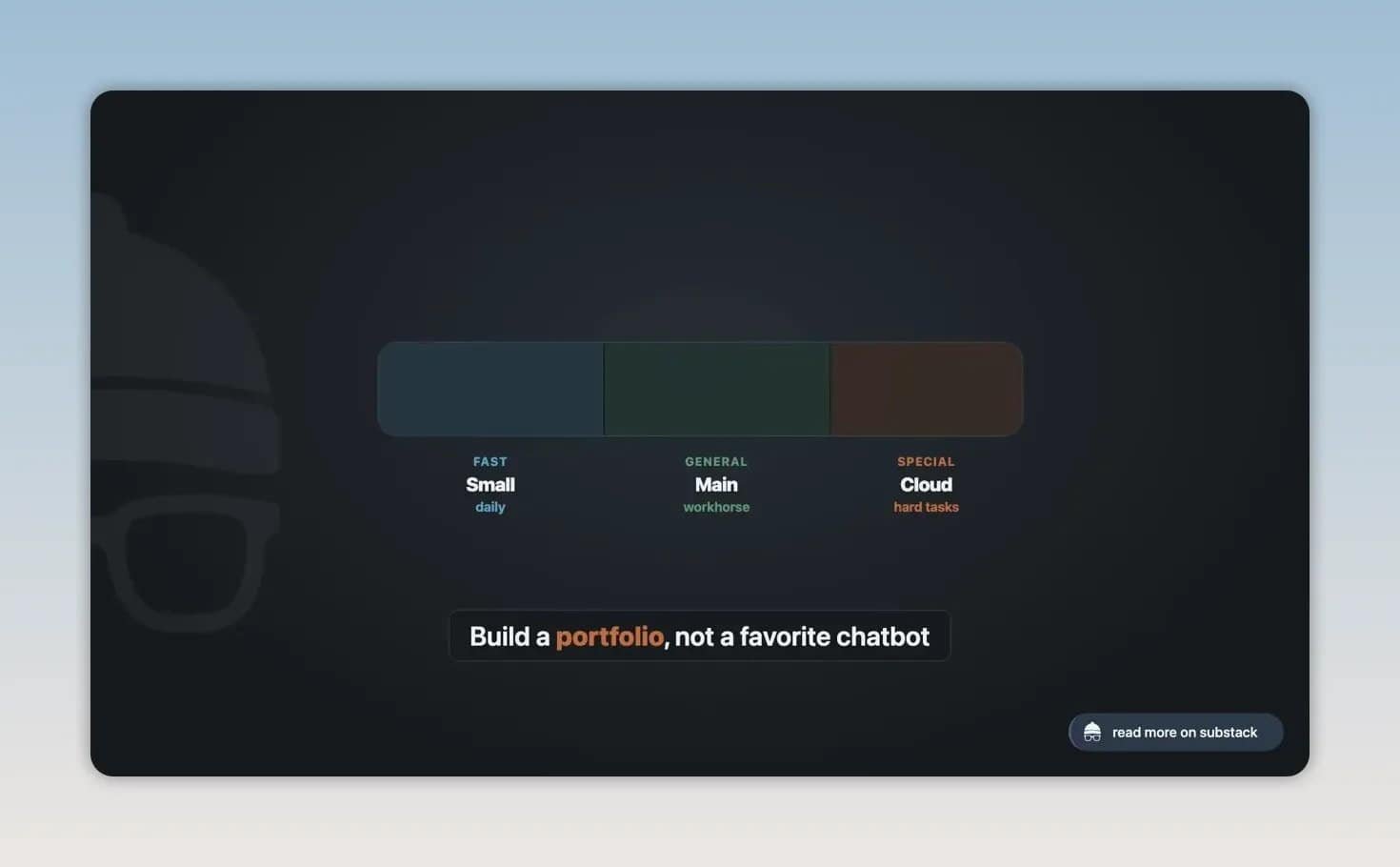
Open-weight model families relevant to local work include Llama, GPT-OSS, Qwen, Gemma, and Mistral. Their suitability varies by task, hardware, licensing, multilingual needs, tool use, reasoning, and coding performance. The durable decision is to maintain an environment where new models can be evaluated and swapped in as they improve.
Memory Is the Most Important Long-Term Layer
A model remembers nothing about your life, your projects, or what you decided last Thursday. Every useful personal AI setup has a memory layer sitting outside the model.
Your memory layer may include:
- Notes and markdown files
- PDFs and research documents
- Meeting transcripts with timestamps and speakers
- Tasks, calendar information, and project plans
- Code repositories and technical decisions
- Preferences, corrections, and structured facts
One principle holds the whole thing together: your source material stays yours even when the AI on top of it changes.
Choose a Storage Format You Can Keep
- Markdown plus Git: A simple, durable option for notes and text files. It is easy to inspect, version, back up, and move.
- Obsidian: A useful choice for document-heavy knowledge bases because it stores notes as files and folders you control.
- SQLite: A lightweight single-file database that is easy to understand and back up. SQLite with vector search extensions can suit personal systems.
- PostgreSQL with pgvector: A stronger option when you need structured facts, metadata, relational data, permissions, and vector search in one place.
Keep raw data and embeddings apart. When a better embedding model shows up — and one will, probably before you have finished indexing — you rebuild from the originals instead of discovering that your knowledge base is now a lossy copy of itself.
Why Retrieval Pipelines Often Fail
Good retrieval is not chopping everything into uniform chunks and hoping. Different material needs different handling:
- PDFs need reliable text extraction and page-aware context.
- Meeting records need speaker names and timestamps.
- Code benefits from symbol-aware indexing.
- Notes should preserve links and relationships.
- Updated documents need a clear re-indexing process.
When a personal RAG setup gives bad answers, the chat model is usually innocent. The fault is upstream, in ingestion and retrieval. Keep track of what has been indexed, what has changed since, where each retrieved fact came from, and when the index needs rebuilding.
Connect AI to Work Without Fragmenting Your Knowledge
Local AI should reach you where you already work, instead of making every task a trip to a separate chat window. One runtime, one memory layer, many front doors.
Possible interfaces include:
- Chat applications such as Open WebUI
- Retrieval-focused tools such as AnythingLLM
- Direct model testing in LM Studio
- Code editor assistants such as Continue
- Terminal-based coding tools such as Aider
- Launchers, shortcuts, command-line tools, and menu bar utilities
- Voice capture using local transcription and summarization
For example, local voice workflows can combine Whisper transcription with a local or hybrid model that identifies intent, cleans up the text, summarizes it, routes it to the right destination, and stores the result in your memory layer.
Four High-Value Local AI Workflows
1. Private Document Search and Personal RAG
Index your notes, drafts, PDFs, and research so you can ask real questions across your own archive. The value here is not web search with extra steps. It is being able to retrieve the history of your own thinking, including the projects you abandoned and half-forgot.
2. Local Coding Assistance
A local coding assistant with repository access does more than autocomplete. It can draft changes, generate tests, refactor, and chase down the straightforward failures. Keep a frontier model on hand for the architecture arguments, the migrations, and the bugs that make no sense at 6pm.
3. Private Meeting Capture
Local transcription records, transcribes, summarises, pulls out decisions, and creates follow-up tasks without the audio ever leaving the machine. Do it for a year and your meeting history quietly becomes a searchable institutional memory that belongs to you.
4. Long-Running Agent Loops
Long-running agents get far more practical when each internal loop is free. No per-token meter ticking while the thing thinks in circles — your limits become machine capacity and the electricity bill. That changes what is worth automating: repeated development tasks, batch processing, document classification, the tedious private work you would never pay per token for.
Security: Local Does Not Mean Automatically Safe
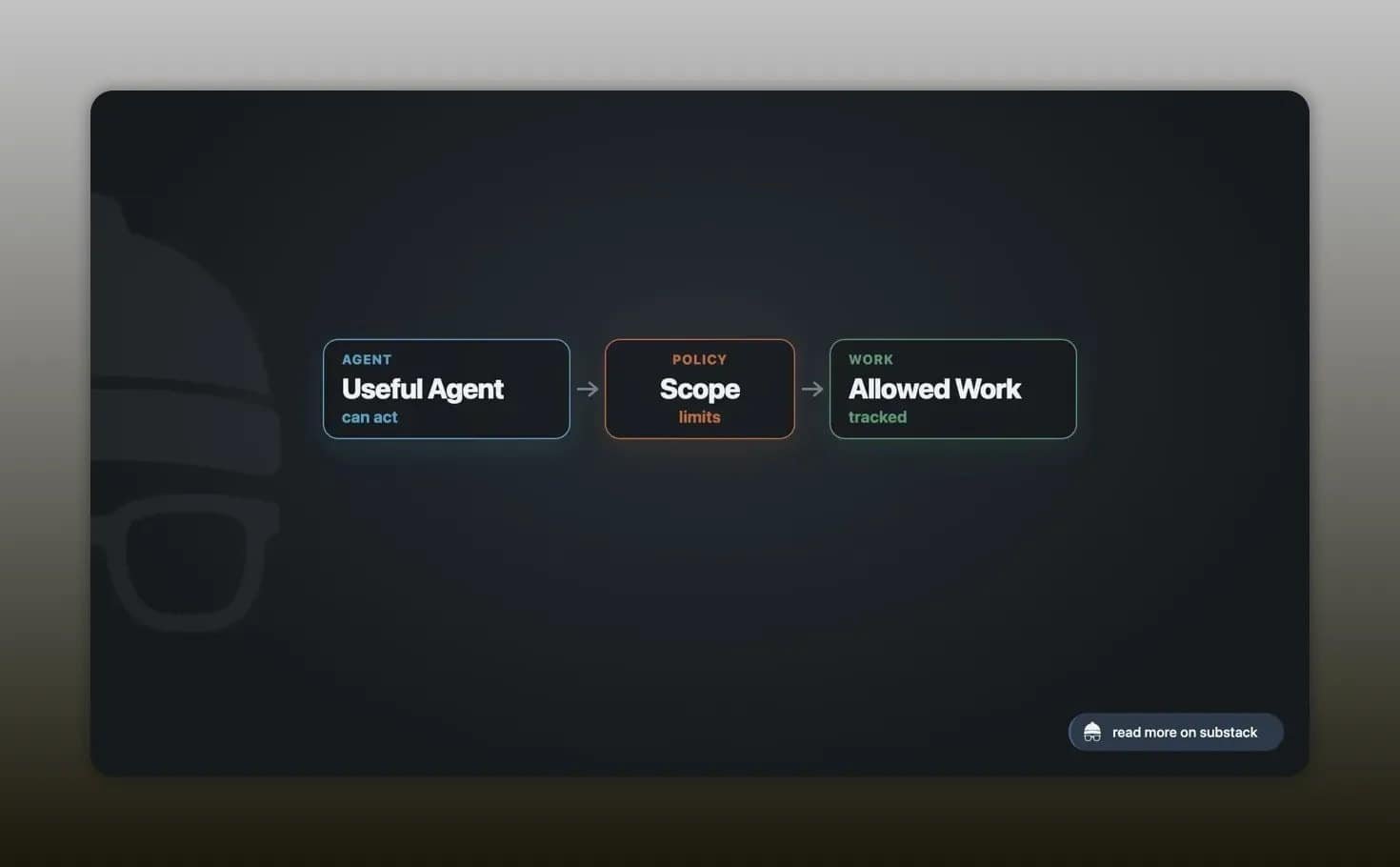
Handing an AI access to your computer is the whole point, and also the whole risk. An agent that can read files, run shell commands, use your credentials, and change things needs limits set before it needs them.
Apply the principle of least privilege: give each AI tool only the access necessary for its specific job.
- A writing assistant does not need shell access.
- A coding assistant does not need financial documents.
- A meeting summarizer does not need permission to delete files.
- An agent with browser or payment access needs stronger review and approval controls.
For MCP-connected tools and local agents, use permissions, logging, secrets management, and well-defined tool boundaries. Treat access as a security decision, not a convenience setting.
Common Local AI Mistakes to Avoid
- Buying hardware before choosing a workflow: Start with a job to be done — document retrieval, local transcription — and let that pick the machine.
- Optimising only for the largest model: Daily usefulness, memory, storage, noise, and maintenance will shape your experience far more than one extra parameter tier.
- Building around one model: Whatever you love this quarter will be superseded. Keep the runtime, files, database, and interfaces loose enough to swap it out.
- Ignoring the memory layer: A brilliant model with no reliable documents or retrieval behind it never compounds into anything.
- Mixing raw documents and indexes: Keep originals separate so embeddings and indexes can always be rebuilt from scratch.
- Assuming MCP handles security: Tool connections still need permissions, logs, secrets management, and boundaries. MCP gives you the plumbing, not the policy.
- Installing disconnected AI apps: Five tools with five separate memories is five silos, and you will end up as the integration layer.
- Treating local AI as a purity test: Hybrid is almost always the setup that survives contact with real work.
Recommended Starting Stacks
For the Local-First Knowledge Worker
Start with a recent Mac and enough unified memory — an M4 Pro mini with 64 GB, or a higher-memory Studio if the budget stretches. Add Ollama, LM Studio, MLX if you want the extra performance, local embeddings, Whisper, a chat interface, and a memory setup built on Obsidian, SQLite, markdown, or a proper database.
Keep a frontier subscription or API key for the hard days. That combination gives you privacy and daily usefulness without pretending cloud capability has stopped mattering.
For the All-Local Privacy Maximalist
Go for a high-memory Mac Studio, a DGX Spark, or a serious workstation. Pair local models and tools with a solid memory system such as PostgreSQL with pgvector, and put anything sensitive behind deliberate access controls, permissions, and audit logs.
This path gives you the strongest control. It also costs more and demands more discipline than most people expect going in.
For the Local-First Builder or Small Team
Prioritise CUDA throughput, model serving, evaluations, and repeatability. A dual RTX 5090 build, workstation-class GPUs, a DGX Spark, or a mixed local and cloud GPU setup can all work. Prototype in Ollama, serve with vLLM, and reach for deeper NVIDIA tooling only when production efficiency justifies the extra complexity.
How to Start Without Overbuilding
- Choose one workflow: Start with private note search, local meeting transcription, or repository-aware coding help.
- Use existing hardware first: Learn whether local AI fits your work before buying a specialized machine.
- Install a simple runtime: Ollama is a practical daily-use starting point for many people.
- Keep source documents portable: Store notes and files in formats you control, such as markdown, folders, Git, SQLite, or PostgreSQL.
- Add local embeddings: Build private semantic search without uploading core documents just to create vectors.
- Connect one useful interface: Add a chat interface, editor integration, or transcription flow that you will actually use.
- Set access boundaries early: Limit file, shell, browser, and account access before adding agents.
- Expand only after a real win: Add models, databases, agents, and stronger hardware after the first workflow proves valuable.
The Bottom Line
The best personal AI computer is rarely the fastest or the priciest. It is the one that handles your private, repetitive, context-heavy work without drama, while your data, memory, and tools stay under your control.
A Mac Studio is compelling for quiet, high-memory personal AI. An RTX 5090 workstation is compelling for CUDA speed and builder workflows. A DGX Spark is compelling if you want the NVIDIA path pre-assembled with plenty of unified memory. Whichever you pick, build around workflows, open interfaces, durable source data, and narrow permissions.
Use cloud AI as a specialist when it earns its place. Keep the foundation of your work portable, inspectable, and yours.
Frequently Asked Questions
Do I need a powerful GPU to run AI locally?
No. A reasonably recent computer will carry you through learning local AI, running smaller models, private document search, writing help, and a good deal of transcription. Memory and stronger acceleration start to matter once you want larger models, longer context, high throughput, or agents that run for hours.
Is a Mac Studio good for local AI?
Yes, especially if you want high unified-memory capacity, quiet operation, low power draw, and a machine that still feels like a normal computer. It is a strong pick for private knowledge work, document retrieval, transcription, and everyday local assistance.
Is an RTX 5090 better than a Mac Studio for local AI?
Neither wins outright. The RTX 5090 is the better tool for CUDA-focused workloads, high throughput, model serving, evaluations, and development. The Mac Studio is the better tool when unified memory, simplicity, low noise, and everyday usability matter most. Pick the one that matches the work you repeat.
What is the most important part of a local AI setup?
The memory layer, by a distance. Keep original documents, notes, files, structured facts, and indexes in storage you control, and your knowledge survives every model and app you cycle through.
Can local AI replace cloud AI?
Local AI handles a surprising amount of private, repetitive, context-heavy work. Cloud models still win on the rare, difficult, high-value problems. A hybrid setup lets you pick per task instead of committing to a side.



One thought on “How to Build a Personal AI Computer in 2026: Mac Studio vs DGX Spark vs RTX 5090, and the Local AI Stack That Actually Matters”
Comments are closed.