







Disclosure: Early Bird Wins may earn a commission from qualifying purchases made through links on this page, at no extra cost to you. We never get paid to recommend a particular seller. As an Amazon Associate, Early Bird Wins earns from qualifying purchases.
Short answer: In 2026, the safest way to buy a hardware wallet is new, directly from the manufacturer’s own store or from an authorized reseller it lists. That includes the brand’s official Amazon storefront, but only if the “Sold by” name matches. Skip discounted third-party listings, marketplace sellers, and anything “open box.” This matters because of an October 2026 incident: Ledger confirmed an unauthorized hardware implant in a device from a reseller’s supply chain, and that kind of tampered device can still pass the brand’s authenticity check. The weak point was the shop it came from, not the chip inside.
What Happened: The CryptoBilis Tampered-Device Incident
Here is the timeline from Ledger’s public statements and major security and crypto news outlets:
- October 9, 2026: Ledger Support said it was investigating reports of lost funds from users in Southeast Asia who bought devices from a reseller called CryptoBilis. It said it had asked CryptoBilis to pause all sales and shipments of Ledger devices while it investigated.
- October 10: Ledger stated: “Ledger can confirm that one of the impacted users’ devices contained an unauthorized hardware implant.”
- October 11: Ledger said the affected volume “appears limited.” It said all confirmed cases linked to the October 9 draining incident involve devices sold through CryptoBilis, and that its internal systems and direct sales channels were unaffected. CryptoBilis suspended sales of its entire hardware wallet inventory until the investigation ends.
- October 13: MediaMarktSaturn took Ledger products off its stores and online platforms in every country where it operates. Cointelegraph reported that Ledger called this a precaution taken in coordination with Ledger after a customer in Germany reported a hardware implant, and that no fund losses had been reported in that case. The same day, Trezor said it would shrink its own reseller network, with the affected resellers losing authorization on January 1, 2027. Trezor stated there is “not a single piece of evidence” that its devices were compromised.
- October 14–15: Ledger asked distributors in Indonesia, Singapore, Thailand, the Philippines, Vietnam, Malaysia, and Hong Kong to pause sales. In an official blog post dated October 15, Ledger blamed “a highly organized criminal group” and said: “There was no flaw in Ledger’s chip, operating system or servers.” Ledger said it sent teams to local markets, including Germany, to buy and open devices from stores, and that “every unit examined was clean.” It also said returned devices “can never be resold in any form” and that products “should no longer go on shelves or displays.”
How the implant worked: According to Ledger’s Donjon security team and independent researchers (Mark Karpelès, the former Mt. Gox CEO, and Tibane Labs), the implant contained a microcontroller that read the 24-word recovery phrase from the screen during setup. It then sent the phrase out over LTE using a hidden eSIM. Karpelès said a Ledger Nano X he bought from a Chinese seller on “a well known platform,” which shipped from Malaysia, had the module hidden behind the screen padding. Cointelegraph later reported he also flagged a Ledger Flex bought at Singapore’s airport. Ledger did not directly address that case.
About the losses: Ledger has not confirmed a total loss figure or how many users were affected. Third-party on-chain researchers estimate tens of millions of dollars, with figures commonly reported between about $86 million and $93 million across 300+ wallets. Treat those numbers as estimates, not official figures.
Why a Tampered Wallet Can Still Pass Authenticity Checks
This is the most important part. Ledger’s Genuine Check is a cryptographic test that confirms the device contains a genuine Secure Element. In this attack, nobody touched the Secure Element. The attackers used real Ledger hardware and added a separate component that read the screen.
Ledger’s own buying guide says the Genuine Check “cannot detect unauthorized physical modifications to the hardware.” Reporting on Donjon’s findings likewise says the implant did not modify the Secure Element or Ledger’s operating system and did not change transactions or signatures. So the device signs correctly, the check passes, and your seed has already been sent to someone else.
The lesson applies to every brand. Any wallet that shows your recovery phrase on a screen is exposed if someone can physically open it before you do. A Secure Element protects keys stored inside the chip — not words already shown on a screen an attacker has wired into. Other brands’ authenticity checks have the same blind spot. The defense is a clean chain of custody: buy from a channel the manufacturer controls.
How to Buy a Hardware Wallet Safely: A 2026 Checklist
1. Buy from the manufacturer or a seller it lists
Buy from the brand’s own web store first. Second best is an authorized reseller that appears on the manufacturer’s official reseller list, not a seller who just says it’s authorized. Ledger’s guidance says that on Amazon you should buy only from the official Ledger storefront for your country or a listed reseller, and check the “Sold by” field. Trezor says it runs official Amazon storefronts in 12 countries and supplies that stock directly.
2. Check the actual seller, not just the listing
On Amazon and other marketplaces, many sellers can share one product page. The listing can show the right brand while a third party ships the unit. Before you pay, check the “Ships from” and “Sold by” lines. If you can’t confirm the seller, don’t buy.
3. Be suspicious of discounts
BleepingComputer cited researchers who said tampered devices had been listed at nearly half the normal price. Big discounts from unknown sellers, “open box” units, and marketplace bargains are exactly what a supply-chain attacker would use. Pay the normal price from a trusted channel.
4. Never buy used, gifted, or “pre-configured”
Ledger says a legitimate device never comes with a recovery phrase or PIN already set. Trezor says its devices ship without firmware installed, and that a unit that already has firmware shouldn’t be used. Never accept a recovery card printed with words, and never plug in a “replacement” device you didn’t ask for.
5. Inspect the packaging, but don’t rely on it
Check the box and device as soon as it arrives. Trezor says the Safe 5 and Safe 7 have a tamper-evident holographic seal over the connector or port. If anything looks opened, resealed, or scuffed, stop and contact support. Still, keep in mind that Karpelès said the packaging of his tampered unit looked untouched. A clean box is necessary but not enough on its own.
6. Use only official software
Download the companion app (Ledger Wallet, Trezor Suite, BitBox app) only from the official website or official app store.
Already Bought From a Risky Channel? Do This Now
- If you haven’t set it up yet, don’t. Ledger told CryptoBilis buyers not to initialize unused devices. The same logic applies to any wallet from an unverified seller.
- If you’ve already set it up, assume the seed may be exposed. Buy a new device from an official channel, create a brand-new recovery phrase on it, and move your funds to the new addresses. Ledger gives the same advice: move assets to a new signer with a new seed.
- Don’t restore your old seed onto the new device. If the old phrase leaked, entering it into a clean wallet doesn’t make it safe again. You need a fresh seed.
- Don’t reuse the suspect device for any wallet, even after a factory reset. The implant is hardware, so a reset doesn’t remove it.
- Contact official support and report it. Ledger asked affected users to contact Ledger Support and file reports with local law enforcement.
- Watch for follow-up scams. Ledger says it will never call you, DM you, or ask for your 24-word phrase.
Five Hardware Wallets Worth Buying (From the Right Channel)
Not a brand shootout — see our Ledger vs Trezor 2026 comparison and best hardware wallet 2026 guide. Every model below is a reasonable choice if you buy it new from the manufacturer or its listed storefront or reseller.
Ledger Nano S Plus
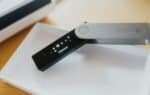
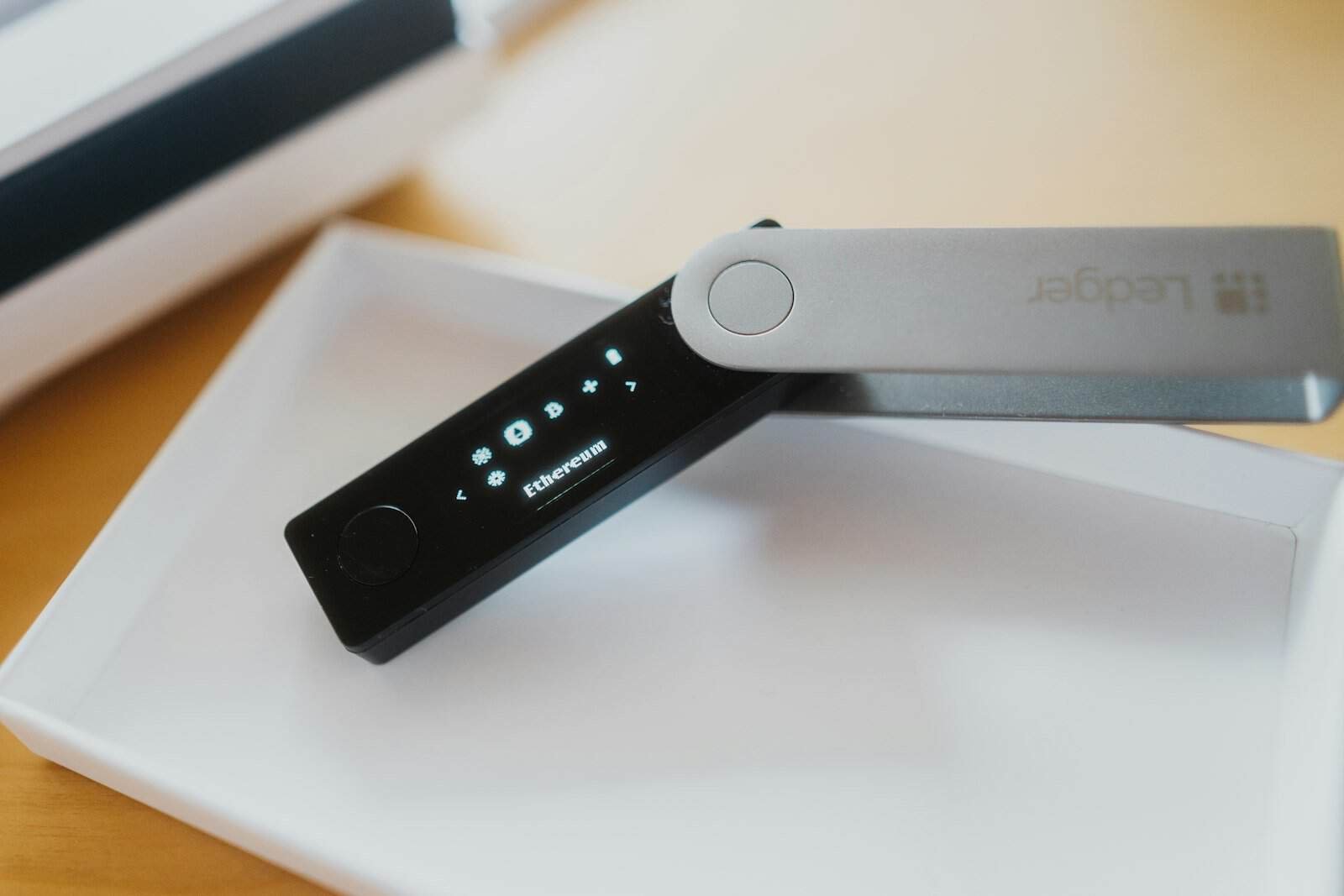
Ledger’s entry-level signer has a small monochrome OLED screen with two-button navigation and a CC EAL6+ certified Secure Element. It connects by USB cable only, with no Bluetooth, NFC, or battery. That makes it the simplest Ledger, with the fewest wireless features to think about.
Pros: Low cost of entry; wired-only design; broad coin and app support.
Cons: Small screen makes checking addresses harder; Secure Element firmware is closed source; button navigation is slow.

- All your digital assets in one place. You can manage thousands of crypto including Bitcoin, Ethereum, Solana, Tether and…
- Connectivity: USB-C cable connection only. No Bluetooth.Compatible with the Ledger Wallet crypto app, both desktop (Wind…
- Protect your digital assets with the industry’s best security: keep your private keys offline in your private signer, ba…
Ledger Flex
The Flex has a 2.8-inch E Ink touchscreen, a CC EAL6+ Secure Element, and USB-C, Bluetooth, and NFC connectivity. The larger screen makes it easier to read transaction details before you sign.
Pros: Big, readable touchscreen; mobile-friendly; strong Secure Element.
Cons: Costs more; closed-source Secure Element firmware; a Flex was among the units Karpelès flagged, which is another reason to buy only from Ledger or its official storefront.

- Simply & securely take control of your digital assets and identity with the all-in-one Ledger Wallet crypto app and Ledg…
- Digital asset control at your fingertips: manage 15,000+ crypto across multiple chains. Earn rewards. Top up & share wit…
- Connect effortlessly with Ledger Wallet: pair your secure Ledger signer with the all in one Ledger Wallet crypto app to …
Trezor Safe 3
Trezor’s budget model has a 0.96-inch monochrome OLED, two buttons, USB-C, and an EAL6+ certified Secure Element. Trezor promotes its “open-source security and design.”
Pros: Very affordable; open-source design; wired only.
Cons: Tiny screen; no wireless or mobile-first workflow.

- Unparalleled Security: Protect your assets NDA-free EAL 6+ Secure Element, offering robust defense and complete transpar…
- Simple & Secure Interface: Manage your digital assets easily with a clear OLED screen for secure on-device confirmations
- Supports 1000s of Coins & Tokens: Securely handle thousands of assets, including Bitcoin, Ethereum, and more, all in one…
Trezor Safe 5
The Safe 5 adds a 1.54-inch color touchscreen with Gorilla Glass 3, haptic feedback, and a microSD slot. It keeps the EAL6+ Secure Element and connects by USB-C only. Trezor’s product page notes that setup and sending aren’t supported on iOS.
Pros: Comfortable touchscreen; open-source approach; holographic seal over the connector.
Cons: No Bluetooth; limited iPhone support; costs more than the Safe 3.

- UNPARALLELED SECURITY: Protect your assets with Trezor Safe 5’s NDA-free EAL 6+ Secure Element, offering robust defense …
- EFFORTLESS NAVIGATION: Experience seamless crypto management with the vibrant color touchscreen, designed for intuitive …
- ENHANCED USER EXPERIENCE: Enjoy tactile confirmation with Trezor Touch Haptic Engine, making each interaction precise an…
BitBox02 Nova
The Swiss-made BitBox02 Nova has open-source firmware with reproducible builds, an OPTIGA Trust M V3 secure chip, USB-C and Bluetooth Low Energy, and microSD backup. It comes in a Bitcoin-only edition or a Multi edition, and you can’t switch between them later.
Pros: Open source and reproducible; minimalist, Bitcoin-only option; microSD backup.
Cons: Small OLED; fewer coins than Ledger; choose your edition carefully because it’s permanent.
Buy BitBox02 Nova only from the official BitBox store (no Amazon card — no verified US ASIN).
Comparison Table
| Model | Open source? | Connectivity | Best for | Buy from |
|---|---|---|---|---|
| Ledger Nano S Plus | Partly (apps open; Secure Element OS closed) | USB only | Low-cost, wired multi-coin storage | Ledger.com, official Ledger Amazon storefront, listed resellers |
| Ledger Flex | Partly (apps open; Secure Element OS closed) | USB-C, Bluetooth, NFC | Mobile users who want a large touchscreen | Ledger.com, official Ledger Amazon storefront, listed resellers |
| Trezor Safe 3 | Yes (open-source design) | USB-C | Budget buyers who value open source | Trezor.io, official Trezor Amazon storefront, listed resellers |
| Trezor Safe 5 | Yes (open-source design) | USB-C | Desktop users who want a touchscreen | Trezor.io, official Trezor Amazon storefront, listed resellers |
| BitBox02 Nova | Yes (open-source firmware, reproducible builds) | USB-C, Bluetooth LE | Bitcoin-focused or minimalist users | BitBox official shop or resellers BitBox lists |
Prices change often — check the current price on the manufacturer’s store or official storefront.
FAQ
Was Ledger’s Secure Element hacked?
No. Based on Ledger’s statements and reporting on its Donjon team’s findings, the implant didn’t modify the Secure Element or Ledger’s OS. It was a separate component added after manufacturing that read the recovery phrase from the screen during setup. That makes it a supply-chain attack, not a chip or firmware break.
Is it safe to buy a hardware wallet on Amazon?
It can be, if the “Sold by” seller is the manufacturer’s official storefront or a reseller on the manufacturer’s official list. Both Ledger and Trezor point buyers to their official Amazon storefronts. Avoid third-party marketplace sellers, even when they share the same product page.
Does the Genuine Check prove my device is safe?
No. It proves the Secure Element is genuine. Ledger says it cannot detect physical modifications to the hardware. A passed check plus a trusted purchase channel is what gives you real confidence.
Are Trezor devices affected?
As of October 16, 2026, Trezor says there is no evidence its devices were compromised. It is still cutting back its reseller network as a precaution. The general risk, a device opened before it reaches you, applies to any brand bought through an untrusted channel.
I bought from MediaMarkt. Should I worry?
Cointelegraph reported that Ledger acknowledged a German customer’s implant report and that MediaMarktSaturn pulled Ledger products as a precaution, with no fund losses reported in that case. If you’re unsure, the cautious option is the same: buy a new device directly from the manufacturer, create a fresh seed, and move your funds.
The Bottom Line
The CryptoBilis incident shows that a hardware wallet is only as trustworthy as everyone who handled it before you. Brand matters less than where you buy: the manufacturer’s store, its official Amazon storefront, or a reseller on its official list. Set it up yourself, and if in doubt, move to a new wallet with a fresh recovery phrase.



2 thoughts on “How to Buy a Hardware Wallet Safely in 2026 (After Tampered Ledger Implants)”
Comments are closed.