





As an Amazon Associate, Early Bird Wins earns from qualifying purchases. We may also earn from other affiliate links on this page at no extra cost to you.
Last updated: Nov 2, 2026 (8:05am SGT / Nov 1, 7:05pm ET). Binance details will change as it publishes its post-mortem; we will update this guide.
Update, Nov 2, 2026 (8:05am SGT / Nov 1, 7:05pm ET):
- Withdrawals have reopened, in phases: per Binance’s Recovery Update #4, phase one began Nov 1 between 06:00 and 09:00 UTC, starting with the Bitcoin network, and covers 15 networks (BTC, ETH, BSC, TRX, SOL, XRP, ZEC, DOGE, TON, Polygon, AVAX C-Chain, Arbitrum, Base, Optimism and SUI) for selected assets. Other networks and tokens will follow later. Some networks may still show as partially suspended, and Binance warns of delays; check the withdrawal page or network status page for your asset.
- About 95%% covered: Binance says it has now covered about 95%% of the impacted amount (up from 90%%), and the remaining 5%% is less-liquid tokens outside the 10 fully backed assets. It says users will not bear the loss.
- First-day outflow: Binance reported $4.6 billion in withdrawals and $1.0 billion in deposits between 06:00 and 15:30 UTC on Nov 1, a net outflow of $3.6 billion, which it put at 2.1% of assets under management (via TechCrunch).
- Proof of reserves: the Oct 31 snapshot is on Binance’s PoR page; the full zero-knowledge proof that lets you check your own balance is expected by Nov 3 (UTC). Binance also says it will publish a detailed incident report when its investigation is complete.
- Moving to cold storage now? Send a small test withdrawal first, confirm the network matches on both ends, and verify the receiving address on your hardware wallet screen before sending the rest (steps below).
Update, Nov 1, 2026 (8:45am SGT / Oct 31, 8:45pm ET):
- 90% replenished: In Binance Update #3 (posted Oct 31, 10:30am ET / 14:30 UTC), Binance says it has replenished 90% of the stolen assets using part of its SAFU fund, its Futures Insurance Fund and corporate treasury. It says the remaining 10% is mostly less-liquid tokens.
- Fully backed tokens: Binance says 10 assets are now fully backed: BTC, ETH, USDT, BNB, SOL, USDC, XRP, USD1, RLUSD and ZEC.
- Proof of reserves: a reserves snapshot was taken at 00:00 UTC on Oct 31. Binance says the zero-knowledge verification takes 40-50 hours, so customers should be able to check their own balances around Nov 2-3 rather than on the earlier Nov 2 report target.
- Withdrawals: still paused as of 8:30pm ET Oct 31. Binance says the restart remains on track for Sunday, Nov 1, but has not given a time. This is a target, not a guarantee; we will update when withdrawals actually reopen.
- When withdrawals reopen: expect queues and possible delays. If you are moving funds to a cold wallet, send a small test transaction first and check the network and address on the device screen (see the steps below).
Quick answer
- Hot wallet: your private keys live on an internet-connected phone, computer or server. Convenient, and the right place for money you spend or trade.
- Cold wallet: your keys are created and kept offline, usually on a hardware wallet. Slower to use, and the right place for long-term savings.
- An exchange account is neither. The exchange holds the keys; you hold a balance on its books.
- Binance’s Oct 29 loss came from its own hot wallet, according to Binance, and Binance says it will cover all losses. Customers have, however, been unable to withdraw while it investigates.
- A sensible split for many people: a small spending and trading balance hot, long-term holdings in a cold wallet you control.
- Move in small steps. Send a test transaction first and check the network and the address on the device screen.
Hot wallet vs cold wallet: the difference in plain English
Think of a hot wallet as the cash in your pocket or your checking account: always within reach, easy to spend, and the first thing a pickpocket goes for. A cold wallet is more like a home safe. Getting money out takes a few deliberate steps, which is the point: nobody can empty it from across the internet without you physically taking part.

What matters is where the private keys live. Crypto sits on a blockchain, and the private key is what lets someone move it. If the key is on a device that is online, the wallet is hot. If it was generated offline and never touches an internet-connected machine, the wallet is cold. Your 12- or 24-word seed phrase is the backup of those keys, so whoever holds the seed phrase holds the coins.
That is where “not your keys, not your coins” comes from. When you keep crypto on an exchange, the exchange controls the keys and you have a claim on it, without bank-style deposit insurance. That is custodial storage. When you hold the keys yourself, in a phone app or hardware wallet, that is self-custody: it removes the exchange as a point of failure but makes you responsible for backups and for spotting scams.
| Type | Where the keys live | Convenience | Main risk | Best for |
|---|---|---|---|---|
| Exchange account (custodial) | The exchange’s own hot and cold wallets | Highest | Exchange hack, freeze or failure; account takeover | Active trading, buying and selling with dollars |
| Mobile or browser hot wallet | Your phone or computer, which is online | High | Malware, phishing, malicious approvals | Spending money and using crypto apps |
| Hardware wallet (cold) | A dedicated offline device; you confirm on its screen | Medium | Seed phrase phished or stolen; tampered device | Long-term holdings for most people |
| Air-gapped or multisig cold setup | Offline devices, often several keys needed to sign | Low | Complexity; signers tricked by a manipulated interface | Large holdings, businesses, families |
| Paper or metal backup only | Written words stored physically | Lowest | Physical theft, fire, water, loss | Backup of a wallet, not daily use |
What the Binance hack shows about hot wallets
On Oct 29, 2026, an attacker moved roughly $6.36 billion out of Binance wallets across 10 blockchains, most of it in about 20 minutes starting at 20:05 UTC (4:05pm ET), according to TRM Labs, which calls it the largest crypto theft on record. Binance says its initial investigation points to a compromised DevOps engineer’s laptop that let the attacker reach a service container and submit unauthorized withdrawals, with “no evidence of any wallet private key leak,” BleepingComputer reported. On Oct 30, co-CEO Richard Teng said attackers used Ethereum’s EIP-7702 delegation to gain execution authority over one hot wallet, bypassing normal approvals, and that “what was affected in this incident was Binance’s own hot wallet,” per CoinDesk (12:31pm ET). Blockchain analytics firms TRM Labs and Chainalysis attribute the attack with high confidence to North Korea’s TraderTraitor group, Decrypt reported; Binance has not attributed it.

As of Oct 30, 2026, 8:30pm ET, Binance says it has reserved more than $6.34 billion of company funds and will cover all losses; about $3 billion has been frozen with partners; deposits are operating normally; withdrawals remain paused. Binance is targeting a withdrawal restart by Sunday, Nov 1, only after the rebuilt service passes testing (CNBC), and a full proof-of-reserves report on Monday, Nov 2. Those are targets, not guarantees.
One detail matters here. A CoinDesk review found the drained “Binance 14” hot wallet was listed in Binance’s Oct 1 proof of reserves; the roughly 204,500 ETH taken was about 5.6% of its ETH reserves. So “it was only the hot wallet” still touched assets backing customer balances. The lesson: attackers go after hot wallets because the keys, or the systems that sign with them, are online. For the full timeline, see our Binance hack news post.
Can a cold wallet be hacked?
Honestly: remotely stealing keys that never touch the internet is very hard. That is the value of cold storage. But hard to hack is not the same as impossible to lose. Real-world cold wallet losses usually come from tricking the owner: phishing for the seed phrase (a fake app, site or “support agent” asks for your words), approving a malicious transaction, using a tampered device, physical theft of the written backup, or losing the seed phrase with no second copy.

The clearest example of the approval problem is Bybit on Feb 21, 2025, when about $1.5 billion in ETH was taken from a cold multisig wallet. A compromised Safe{Wallet} interface showed signers something different from what they were actually signing. The FBI attributed that attack to TraderTraitor. The lesson for individuals: trust what your hardware wallet’s own screen says, not your computer, and reject anything you do not understand.
Tampered devices are the other real risk. On Oct 28, 2026, Singapore Police warned about tampered Ledger devices sold through Singapore retail, with about S$3.5 million lost. Our guide to buying a hardware wallet safely covers how to avoid that: buy from the maker or its official store, and never use a device that arrives with a seed phrase already written down.
How much should you keep hot vs cold?
There is no single right number, and this is a framework, not financial advice. Sort your crypto by job. Money you trade or plan to spend in the next few weeks belongs somewhere convenient: an exchange or a hot wallet. Money you plan to hold for months or years belongs in cold storage you control. If you are unsure, it is probably long-term.
Some examples, offered only as examples: an active trader might keep a trading float on an exchange and sweep profits to a hardware wallet monthly. Someone who buys a little each paycheck might move purchases to cold storage quarterly to keep network fees down. It is also worth not keeping everything on one exchange, since a pause like Binance’s freezes your money even if you are eventually made whole.
Be realistic about small balances. A hardware wallet costs money and every withdrawal costs a network fee, so if your holdings are small, the cost may outweigh the benefit for now. A reputable exchange with strong login security can be a reasonable interim choice.
How to move crypto from an exchange to a cold wallet, step by step
This is the general process for most hardware wallets, based on our research of manufacturer documentation. Follow your device’s official instructions where they differ.

- Buy the device from the manufacturer or its official store, including the brand’s official Amazon storefront. Avoid used, open-box and third-party sellers.
- Set it up yourself. The device should generate a new seed phrase. Write the words on paper or a metal backup. Never photograph them, type them into a phone or computer, or store them in the cloud.
- Run the genuineness check in the official companion app (such as Ledger Live or Trezor Suite), downloaded only from the maker’s real website.
- Get a receive address from the device and confirm the address on the hardware wallet’s own screen matches the one on your computer.
- Add that address to your exchange’s withdrawal allowlist, if offered. A waiting period for new addresses is a safety feature.
- Pick the correct network. USDT, for example, exists on Ethereum (ERC-20) and Tron (TRC-20), among others. Choosing a network your wallet address does not support can lose funds.
- Send a small test amount first.
- Confirm the test arrived, then compare the first and last several characters of the address again.
- Send the rest, in one or a few transactions, confirming each one lands.
- Record every transaction: date, amount, transaction ID and fees, for taxes.
- Binance users: wait until Binance officially reopens withdrawals and expect queues. Check status only in the Binance app or at binance.com. Never use “unlock” or “refund” links sent by email, text or social media.
On US taxes: moving crypto between wallets you own is generally not treated as a sale, so it is not usually taxable by itself. Records still matter, because you will need your original cost basis when you eventually sell. Keep exchange statements and transaction IDs, and ask a tax professional about your situation.
Mistakes that cost people their coins
Most self-custody losses are not clever hacks. They are a handful of avoidable mistakes:
- Seed phrase in the cloud or in photos. Screenshots, notes apps and cloud drives get synced and sometimes breached.
- Fake support messages. No real exchange or wallet company will DM you first or ask for your seed phrase.
- Address poisoning and clipboard malware. Look-alike addresses and swapped clipboard contents fool people. Verify on the device screen.
- Wrong network. Sending a token on an unsupported network can strand or lose it.
- Used or pre-set devices. A device that arrives with a seed phrase already chosen is a trap.
- No backup, or one backup in one place. A single paper copy can be lost to fire, water or a move.
- Blind-signing approvals. Approving a token allowance you do not understand can let someone drain a wallet later.
Whatever you keep on an exchange, protect the login with a unique password and the strongest sign-in option offered, ideally a passkey or hardware security key rather than SMS codes. Our best YubiKey guide explains which key fits which devices.
Which cold wallet to consider
For most people, a mainstream hardware wallet from Trezor or Ledger is the simplest way into cold storage. The right pick depends on budget, whether you value open-source software or Bluetooth with a phone, and how much screen you want for checking transactions. These picks are based on our research of manufacturer specs, not hands-on testing.
| Pick | Best for | Why it fits |
|---|---|---|
| Trezor Safe 3 | First hardware wallet on a budget | Open-source software, secure element, simple setup |
| Ledger Nano S Plus | Budget pick with wide coin support | Compact, secure element, works with Ledger Live |
| Ledger Nano X | Managing crypto from a phone | Bluetooth and a built-in battery |
| Trezor Safe 5 | Easier on-device checking | Color touchscreen for verifying addresses and transactions |
| Yubico YubiKey 5C NFC | Protecting exchange and email logins | Not a crypto wallet; a phishing-resistant security key |
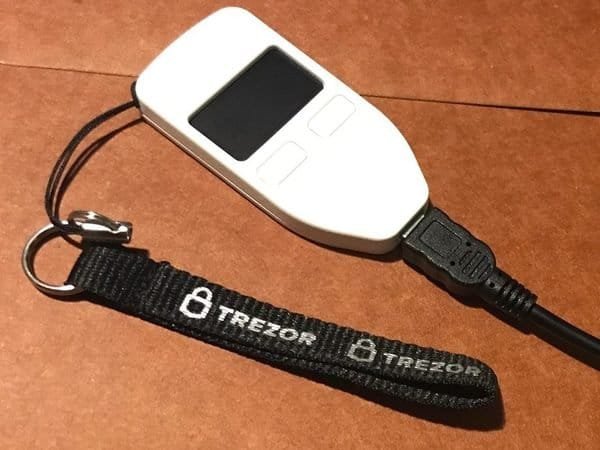
Trezor hardware wallet (item type; older Trezor One shown). Photo: Sanjev Rajaram, CC BY-SA 4.0, via Wikimedia Commons (resized)
Trezor Safe 3 hardware wallet
Budget-friendly cold wallet with a secure element and open-source software. Check current price.
Check price on Amazon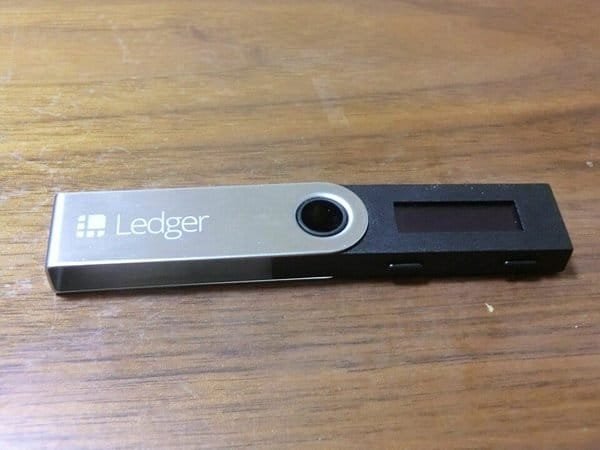
Ledger USB hardware wallet (item type; older Nano S shown). Photo: Motokoka, CC BY-SA 4.0, via Wikimedia Commons (resized)
Ledger Nano S Plus hardware wallet
Compact cold wallet with broad coin support via Ledger Live. Check current price.
Check price on Amazon
Ledger hardware wallet (item type photo). Photo: Roderart, CC BY-SA 4.0, via Wikimedia Commons (resized)
Ledger Nano X hardware wallet (Bluetooth)
Bluetooth and battery for managing a cold wallet from your phone. Check current price.
Check price on Amazon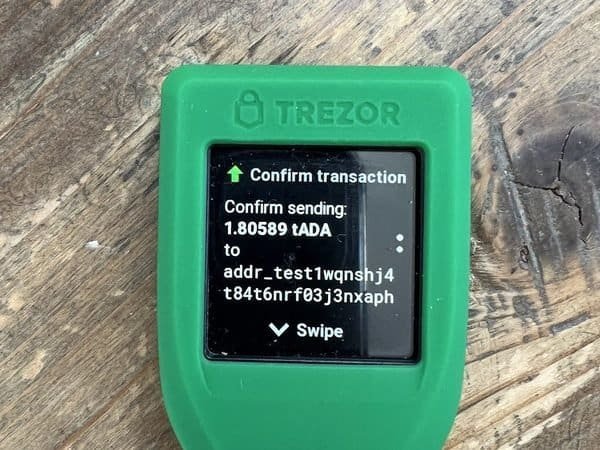
Touchscreen Trezor (item type; Model T shown, not the Safe 5). Photo: FlippyFlink, CC0, via Wikimedia Commons (resized)
Trezor Safe 5 hardware wallet (touchscreen)
Color touchscreen for clearer on-device address and transaction checks. Check current price.
Check price on Amazon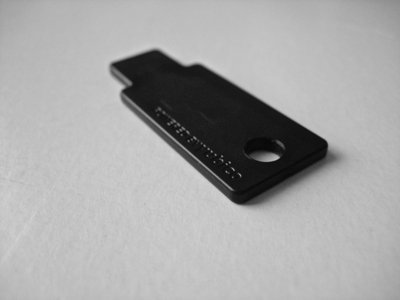
YubiKey security key (item type photo). Photo: Jonathan Molina, CC BY-SA 2.0, via Wikimedia Commons (resized)
Yubico YubiKey 5C NFC security key
Phishing-resistant key to lock down exchange and email logins. Check current price.
Check price on AmazonOn Amazon, check that “Ships from” and “Sold by” show Amazon or the brand’s official store before you buy.
For a full side-by-side, see our Ledger vs Trezor comparison. Black Friday is Nov 27, 2026, and no 2026 hardware wallet offers had been confirmed as of Oct 25, so check our hardware wallet Black Friday deal-watch for the latest, plus our Black Friday and Cyber Monday tech deals hub.
FAQ
What is the difference between a hot wallet and a cold wallet?
A hot wallet keeps your private keys on an internet-connected device, such as a phone app or browser extension, so it is fast and convenient. A cold wallet keeps the keys offline, usually on a hardware wallet, so it is slower but much harder to attack remotely.
Is a cold wallet safer than keeping crypto on an exchange?
It removes a different risk. A cold wallet protects you from an exchange being hacked, freezing withdrawals or failing, but puts responsibility for backups and scam-spotting on you. For long-term holdings, a properly set up cold wallet with a secure seed backup is generally considered safer.
Can a cold wallet be hacked?
Remote theft of offline keys is very hard. Real losses usually come from people revealing their seed phrase, approving a malicious transaction, using a tampered device, or having a backup stolen or lost.
Was the Binance hack a hot wallet or cold wallet breach?
Binance says it was a hot wallet breach. Co-CEO Richard Teng said on Oct 30, 2026 that “what was affected in this incident was Binance’s own hot wallet.” A CoinDesk review found that wallet was part of Binance’s Oct 1 proof of reserves, so it held assets backing customer balances.
Should I move my crypto off Binance now?
As of Oct 30, 2026, 8:30pm ET, you cannot: withdrawals are paused, and Binance is targeting a restart by Sunday, Nov 1, after testing. Binance says it will cover all losses. If you later decide to move long-term holdings to cold storage, expect queues, follow the test-transaction steps above, and use only the official Binance app or website. Ignore any “unlock” or “refund” offers; they are scams.
Is Coinbase or another exchange safer than Binance?
All custodial exchanges carry custody risk, and no exchange is risk-free. Any exchange that holds your keys can be hacked or pause withdrawals, which is why many people spread risk and keep long-term holdings in self-custody. We do not rank exchanges by safety.
Do I pay taxes when I move crypto to a cold wallet?
In the US, moving crypto between wallets you own is generally not treated as a sale, so it usually is not taxable by itself. Keep records of the transfer, fees and cost basis, and check with a tax professional.
What happens if I lose my hardware wallet?
Your crypto is on the blockchain, not the device. With your seed phrase, you can restore the wallet on a new device. If you lose both the device and the seed phrase, the funds are generally unrecoverable, so keep a secure backup, ideally in more than one safe place.
Bottom line
The Binance incident is a reminder that hot wallets are where attackers aim, because that is where keys and signing systems sit online. Binance says it will cover all losses, and withdrawals are targeted to resume by Nov 1, but long-term holdings belong in cold storage you control, with a solid seed backup.
Keep a convenient balance hot, keep savings cold, and move in small, verified steps. This is not financial advice; prices and availability change.


